Audit and recovery
Follow changes and investigate incomplete operations.
Read the audit trail
The audit explorer records the actor, action, project, environment, time, and target. Record activity gives you the same context close to the record. Field changes depend on the environment's redaction settings.
Use environment, actor, and record filters to investigate an operation. A successful action result describes what the agent reported; external systems may have their own separate processing lifecycle.
Start from a record
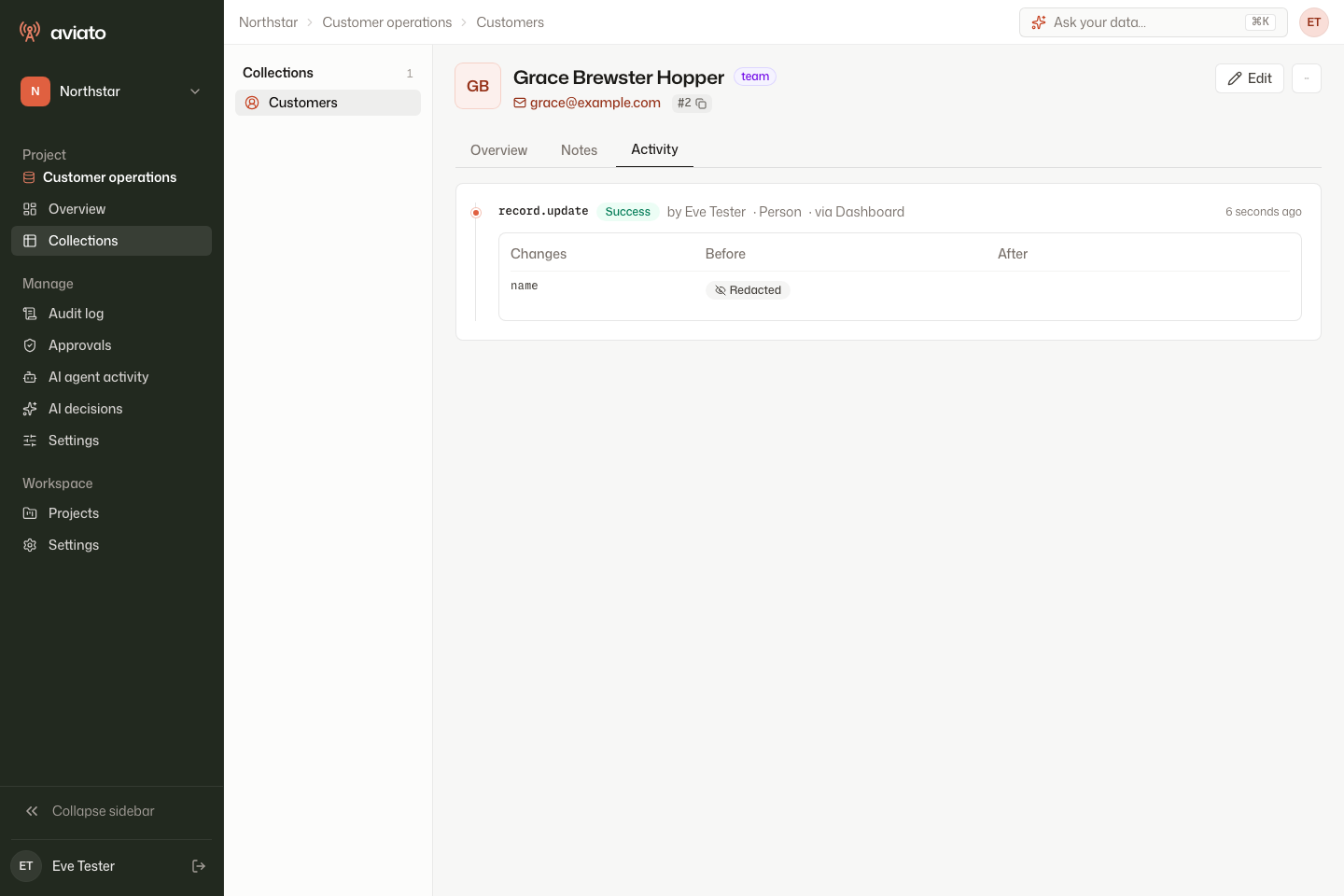
Open a record and select Activity. After the agent delivers the event, a saved edit appears as record.update with the actor and changed field.
Investigate across the project
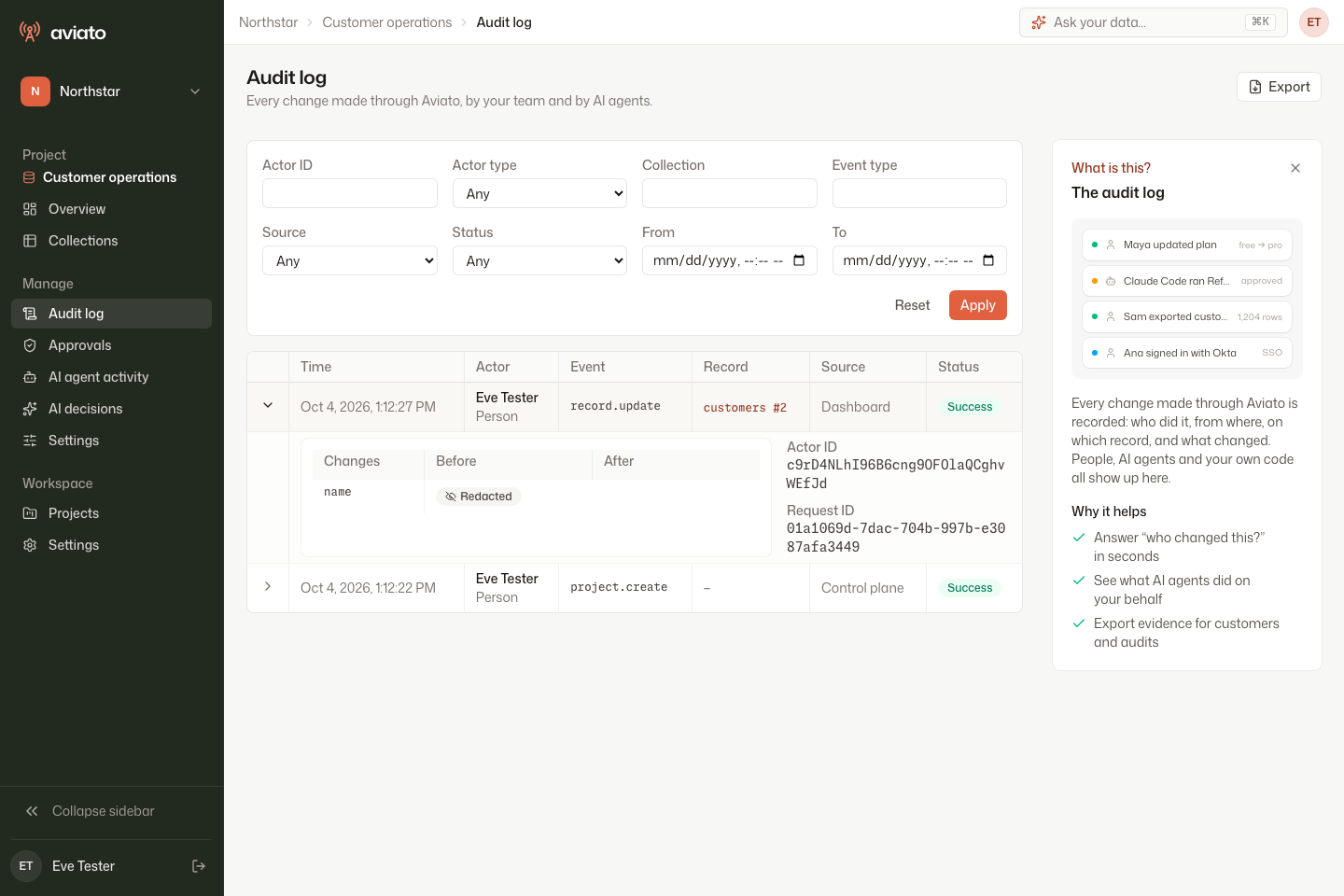
Select Audit log in the project sidebar. Use the filters to narrow the events, then expand a row with Show details. Check the event, target record, source, status, and request identifier together.
Choose a redaction mode
Full mode includes field values except always-redacted fields. Field-names-only mode records which fields changed without their values. None omits field changes. Secret-like field names are redacted, and you can configure additional fields.
Review data flow before enabling full values or streaming audit events to another destination.
Keep the outbox durable
The agent queues events locally and retries delivery when ingestion is unavailable. Persist its data directory and monitor backlog growth. The health response exposes queued events, pending mutations, and dead-letter events.
A write intent is saved before a governed mutation. If the agent crashes between the customer write and audit completion, recovery records an unknown outcome with identifiers for investigation. The customer database and audit outbox are separate stores, so this is not a single atomic transaction.
Reconcile before retrying
For an unknown mutation or an uncertain approval, inspect the target record and external side effects before repeating it. Retain the operation identifiers when escalating to your development team.