Find and edit records
Browse live data, filter collections, and make changes with context.
Find a record
Select your project and environment, then a collection. Use search for a quick lookup, filters to narrow a field value, and sorting to order the result. Saved segments let you return to a useful subset of records.
Lists load a page without counting the entire collection. Count records requests an exact count when you need one; it can take longer on a large database.
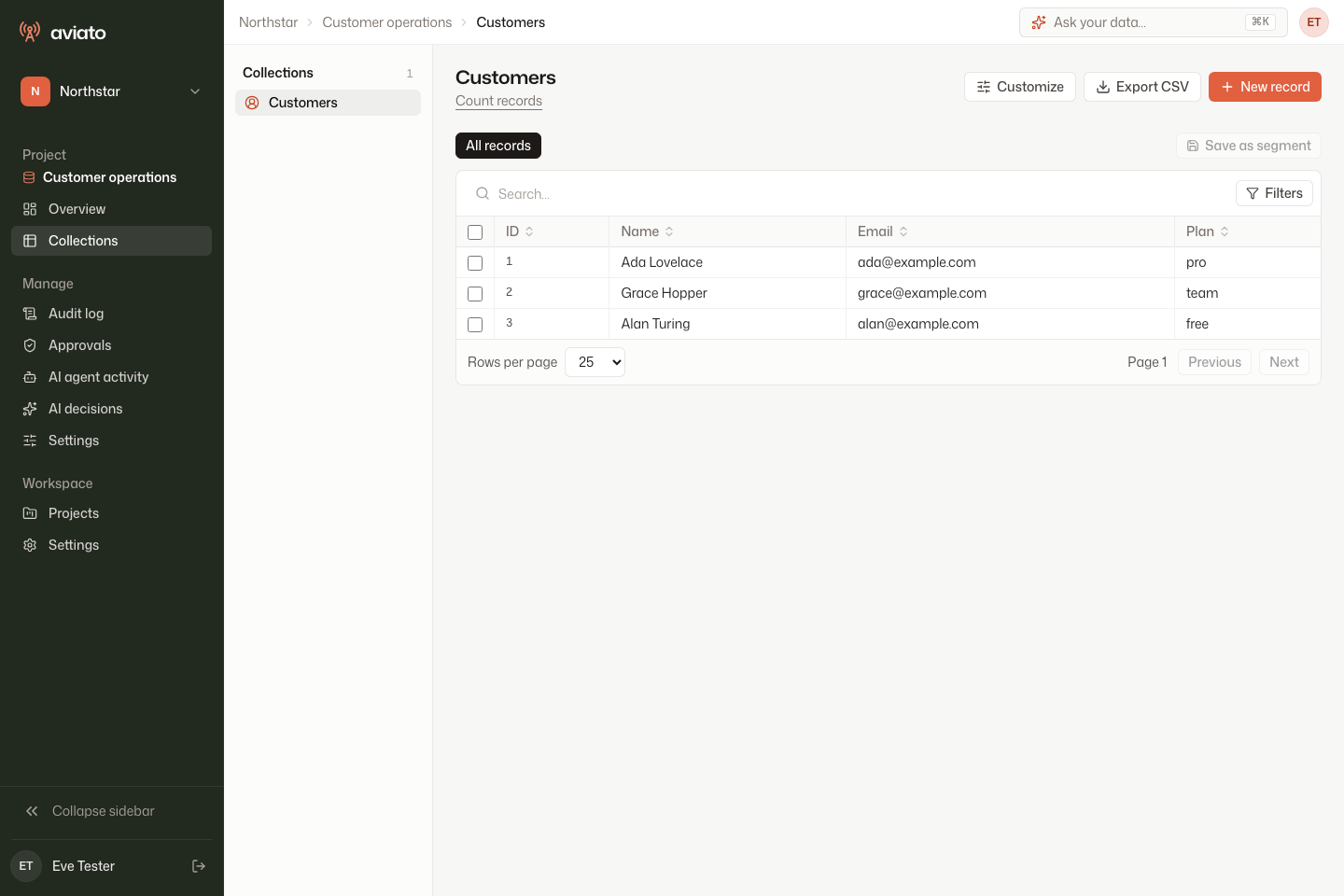
Open and edit
Open a row to see its fields, related records, available actions, and record activity. Fields your role cannot read are hidden. Read-only fields and fields outside your write permissions cannot be edited.
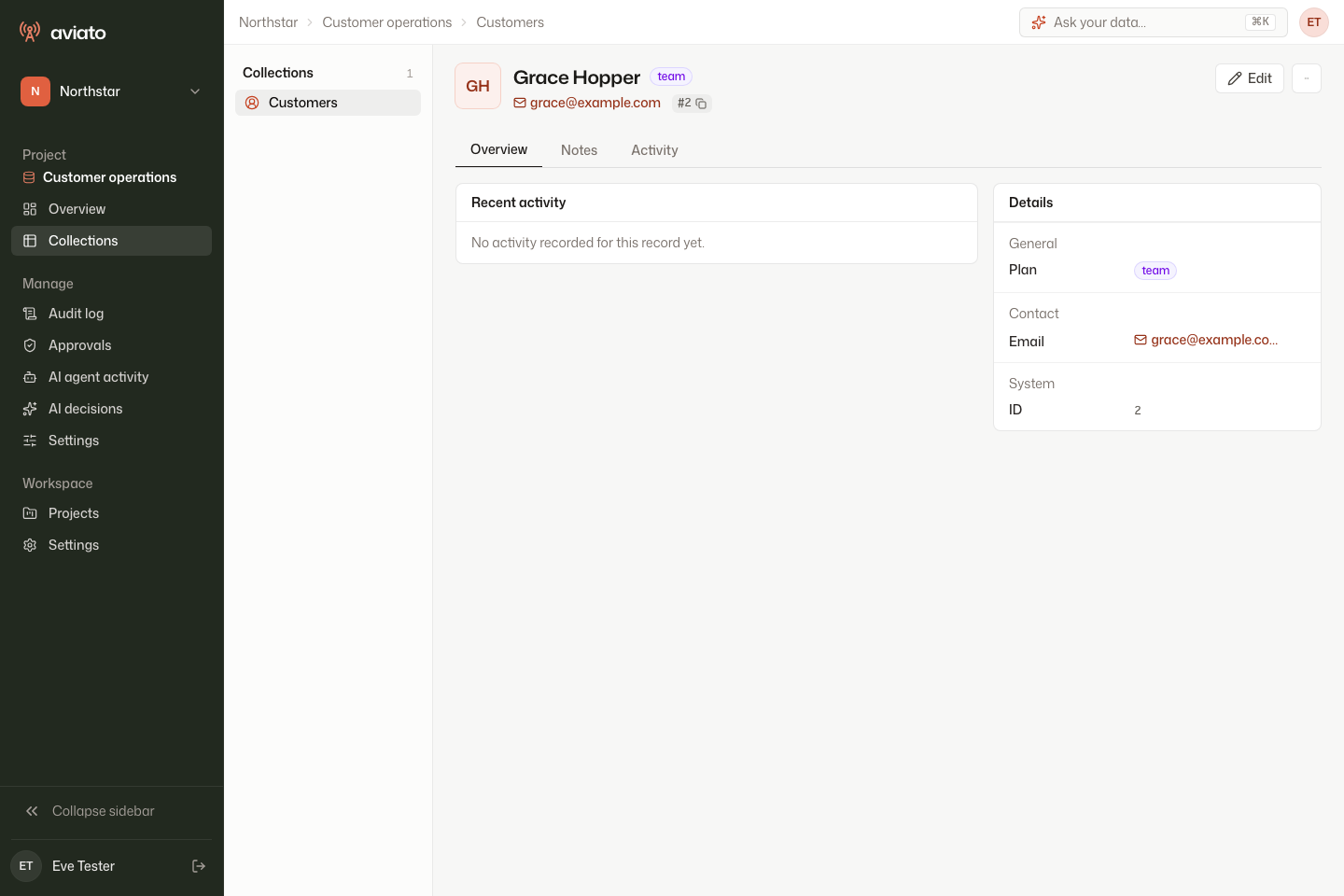
To change a field:
- Select Edit on the record.
- Update the field you need. In this example, change Name to Grace Brewster Hopper.
- Select Save changes.
- Open Activity to check that the change was recorded.
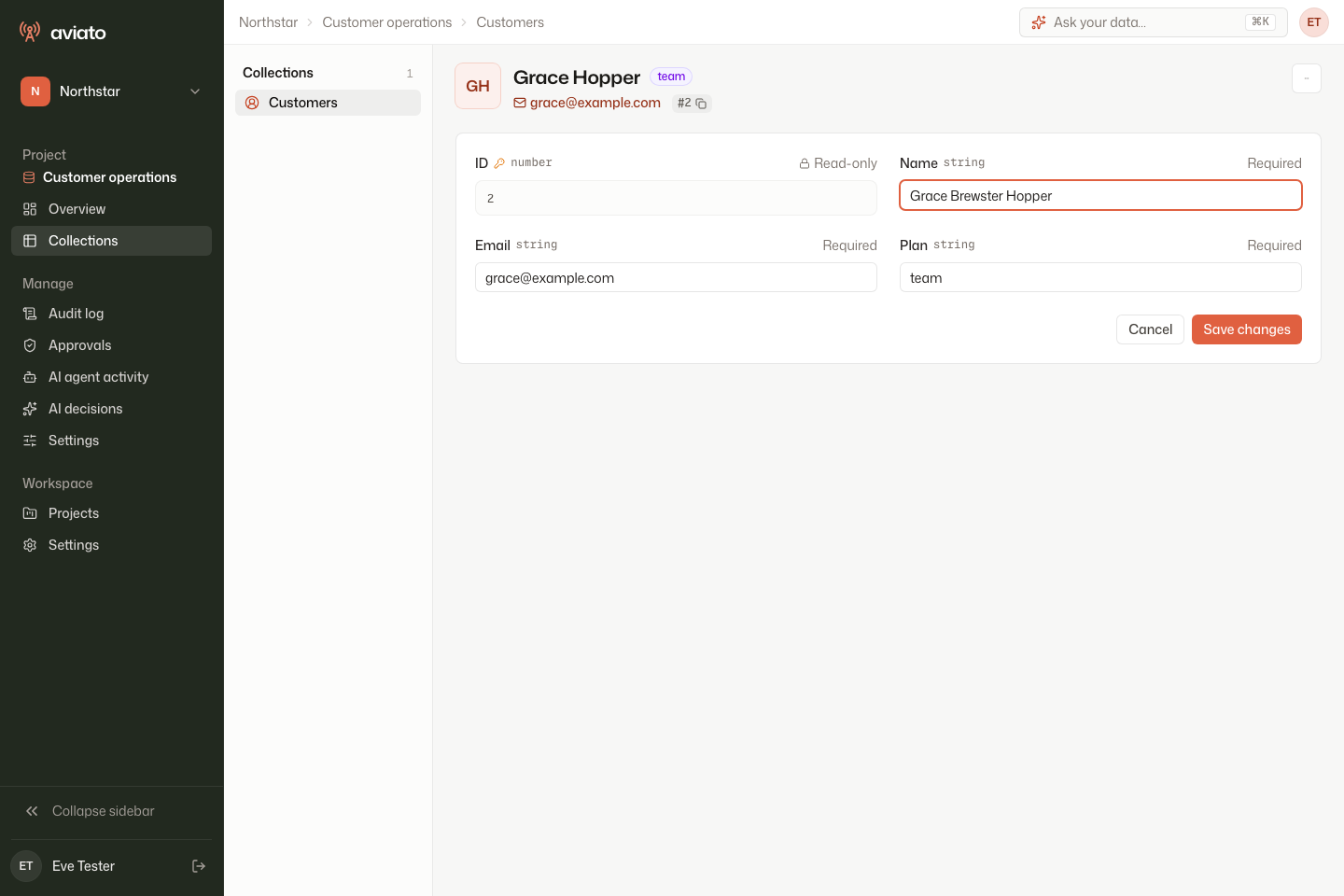
Changes affect the connected database. Check the environment and the record identifier before saving. If an operation is blocked, check your role or ask a project administrator rather than repeatedly retrying it.
Notes
Use record notes to leave operational context for your team. Notes belong to a specific environment and record. Access is checked against the connected agent, so notes may be unavailable when the agent cannot be reached or your role no longer permits the record.
Notes are stored in Aviato's control plane. Avoid putting credentials or other secrets in them.
Export a collection
Export the filtered data when you need a CSV. Read permissions and field masking still apply. Spreadsheet formula-like cells are escaped to reduce the risk of spreadsheet execution.
Exports read live data rather than a frozen snapshot. Changes to sort keys while an export runs can affect which records it contains. For reconciliation that requires a fixed snapshot, use a database-level reporting process.
Troubleshooting
An empty collection can mean the filter matches nothing or your role permits no matching rows. If a page cannot connect at all, check agent connectivity.